How to Integrate Camweara Virtual Try-On with Tiendanube
Step 1: Create Your Camweara Account
All begins with creating your Camweara account. And this is where you should start if you haven’t created it yet.
- Create your Camweara account and log in to the dashboard.
Now that you are signed in, it is time to upload the products that you are going to enable for virtual try-on.
Next, you may proceed to configure your product catalog.
Step 2: Upload Your Products
It seems to be a very obvious and easy step, however, it is worth mentioning that you should use product images of good quality as it determines the quality of the virtual try-on experience that customers receive.
- Upload the products that you would like your customers to try on virtually.
- To provide your customers with the best virtual try-on experience, you should use high-quality product images. Quality images contribute to more accurate visualization.
Once your products are configured, it is time to generate the integration code.
Step 3: Copy Your Integration Code
Here you need to perform a very quick action that will actually integrate your Camweara with your Tiendanube shop.
- After configuring your products, copy the generated integration code.
Step 4: Add the Integration Code to Tiendanube
Log in to your Tiendanube Admin and navigate to:
Settings → External Code (Códigos externos)
Then perform the following actions:
- Navigate to the Tracking Codes section.
- Choose the Para la tienda tab.
- Paste your Camweara integration code to the tracking code field.
- Click Guardar to save your changes.
Camweara integrates through Tiendanube’s External Code (Códigos externos) feature, which allows adding the virtual try-on experience without installing the separate marketplace application.
Now there is only one thing left before you launch the experience.
Step 5: Verify the Integration
Before launching the experience to your customers, it is worth spending a couple of minutes to verify whether everything is displayed properly. It is a very simple thing to do and this is how you can avoid any problems.
- After saving the integration code, open the supported product page.
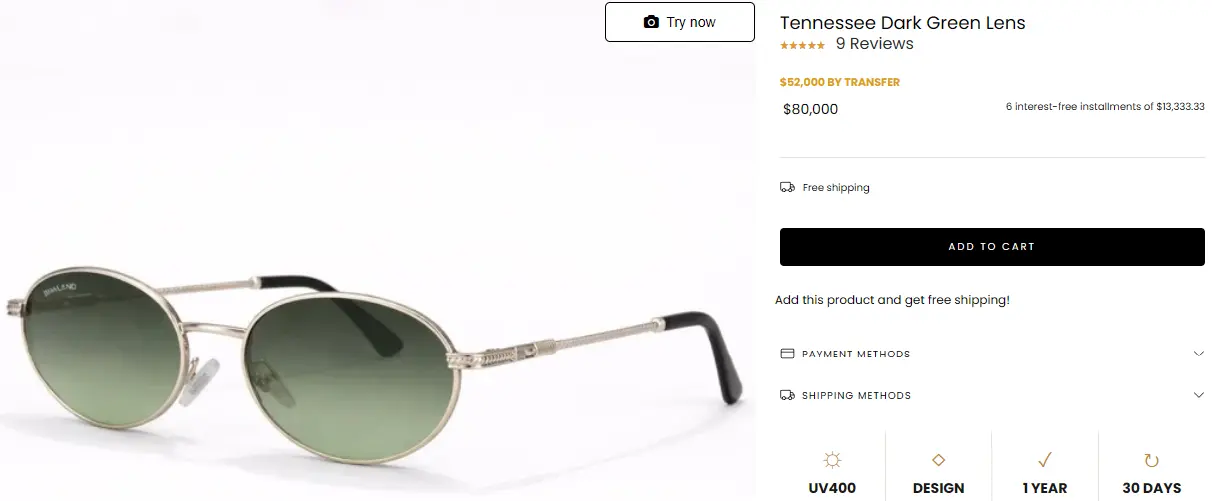
- Verify whether the Camweara Virtual Try-On widget displays properly on the page.
- Before publishing the feature, test it on desktop and mobile devices to ensure everything works correctly.
If the widget is displayed and operates properly, your integration is completed.